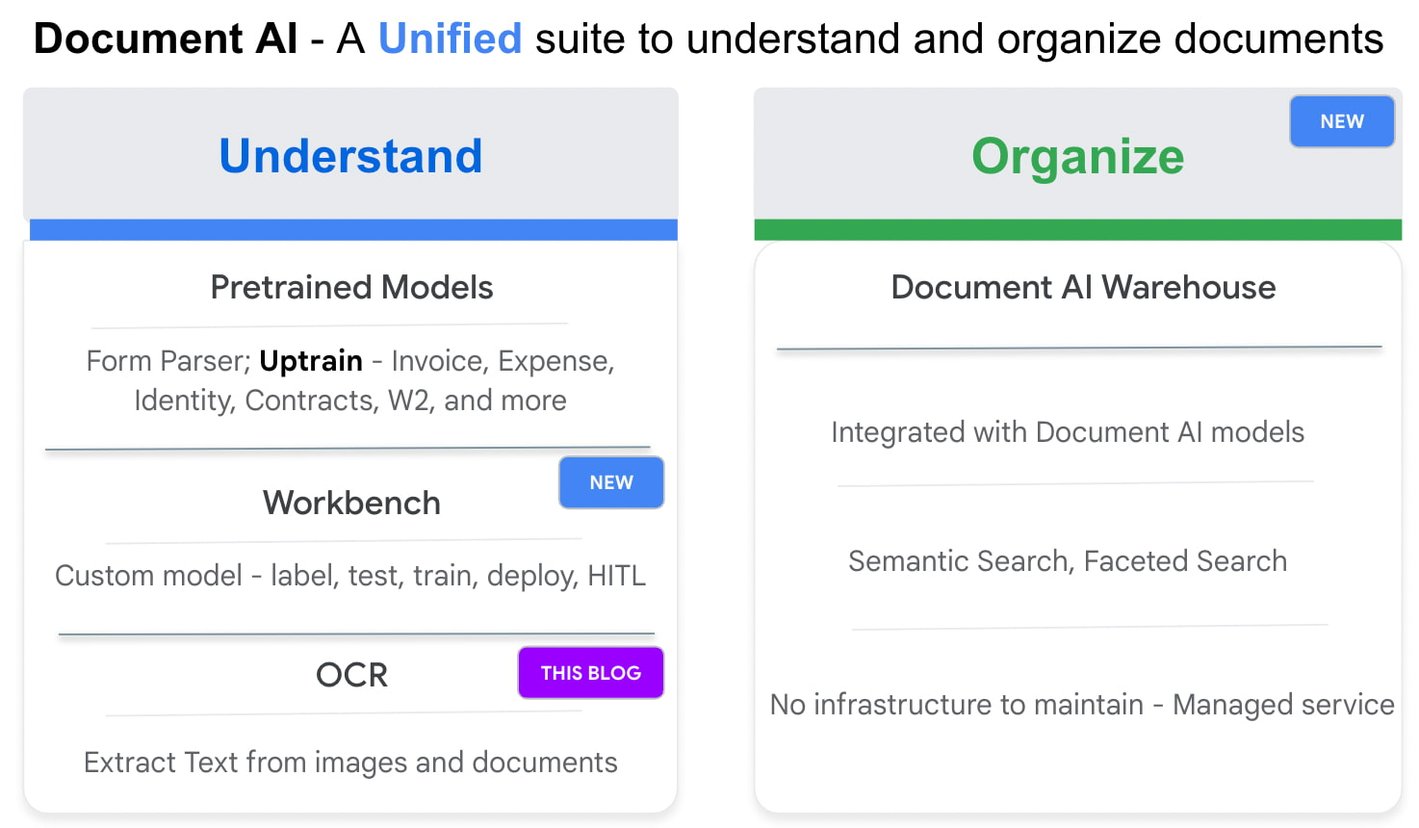
Google Cloud’s Document AI OCR takes an unstructured document as input and extracts text and layout (e.g., paragraphs, lines, etc.) from the document. Covering over 200 languages, Document AI OCR is powered by state-of-the-art machine learning models developed by Google Cloud and Google Research teams.
Today, we are pleased to announce three new OCR features in Public Preview that can further enhance your document processing workflows.
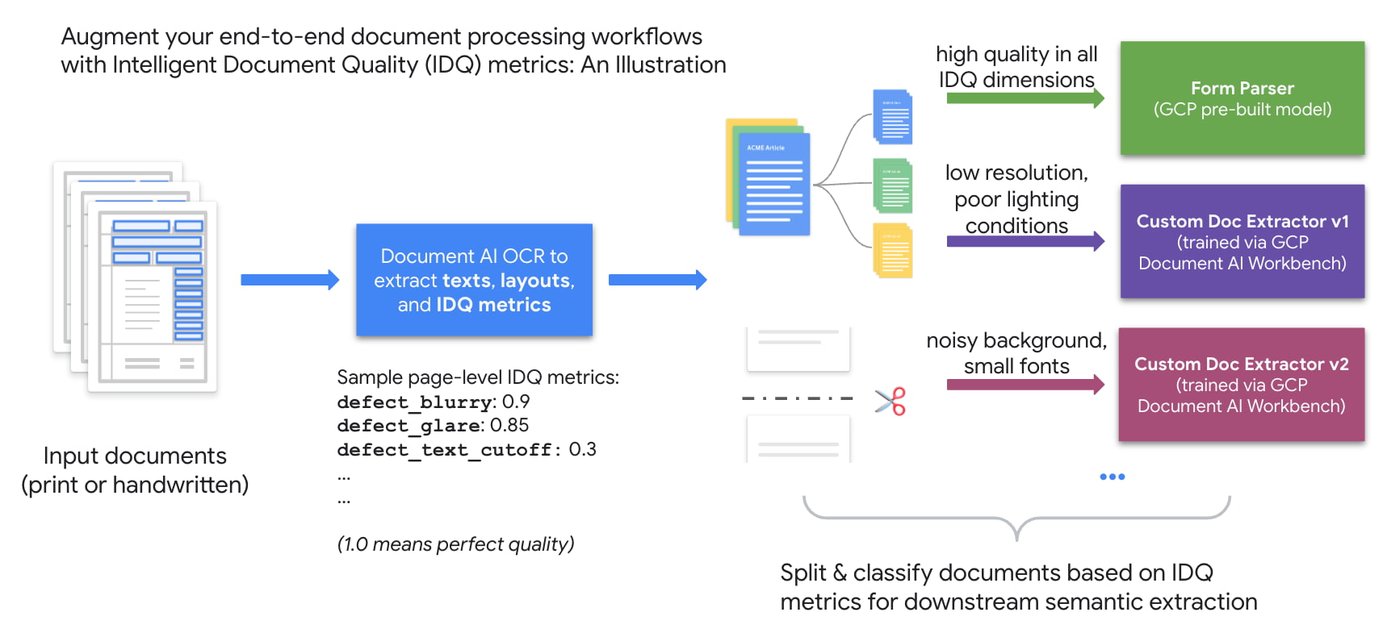
1. Assess page-level quality of documents with Intelligent Document Quality (IDQ)
2. Process digital PDF documents with confidence with built-in digital PDF support
The PDF format is popular in various business applications such as procurement (invoices, purchase orders), lending (W-2 forms, paystubs), and contracts (leasing or mortgage agreements). PDF documents can be image-based (e.g., a scanned driver’s license) or digital, where you can hover over, highlight, and copy/paste embedded text in a PDF document the same way as you interact with a text file such as Google Doc or Microsoft Word.
We are happy to announce digital PDF support in Document AI OCR. The digital PDF feature extracts text and symbols exactly as they appear in the source documents, therefore making our OCR engine highly performant in complex visual scenarios such as rotated texts, extreme font sizes and/or styles, or partially hidden text.
Discussing the importance and prevalence of PDF documents in banking and finance (e.g., bank statements, mortgage agreements, etc.), Ritesh Biswas, Director, Google Cloud Practice at PwC, said, “The Document AI OCR solution from Google Cloud, especially its support for digital PDF input formats, has enabled PwC to bring digital transformation to the global financial services industry.”
3. “Freeze” model characteristics with OCR versioning
As a fully managed cloud-based service, Document AI OCR regularly upgrades the underlying AI/ML models to maintain its world-class accuracy across over 200 languages and scripts. These model upgrades, while providing new features and enhancements, may occasionally lead to changes in OCR behavior compared to an earlier version.
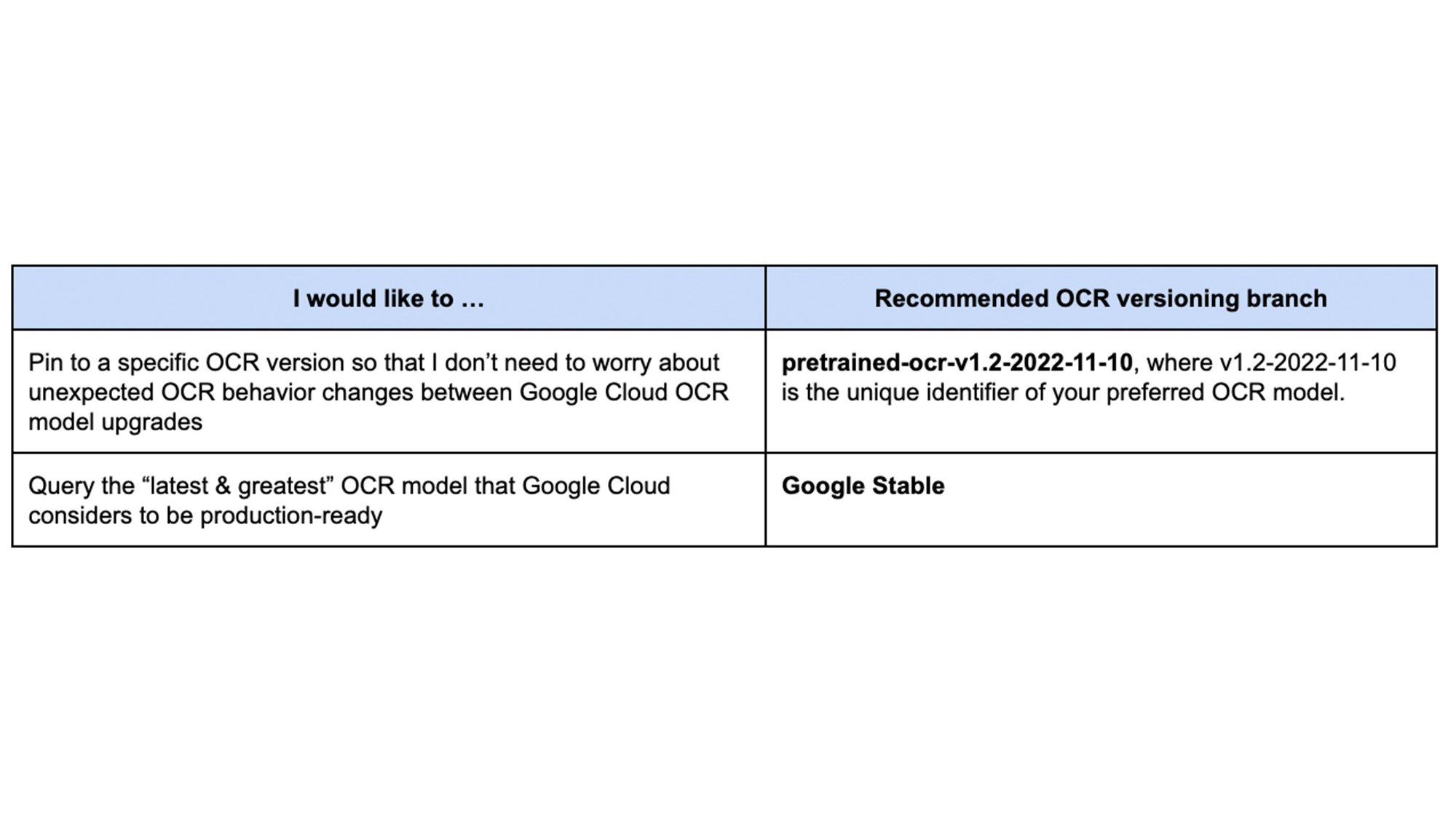
Today, we are launching OCR versioning, which enables users to pin to a historical OCR model behavior. The “frozen” model versions, in turn, give our customers and partners peace of mind, ensuring consistent OCR behavior. For industries with rigorous compliance requirements, this update also helps maintain the same model version, thus minimizing the need and effort to recertify stacks between releases. According to Jagadheeswaran Kathirvel, Senior Principal Architect at Mr. Cooper, “Having consistent OCR behavior is mission-critical to our business workflows. We value Google Cloud’s OCR versioning capability that enables our products to pin to a specific OCR version for an extended period of time.”
With OCR versioning, you have the full flexibility to select the versioning option that best fits your business needs.
Getting Started on Document AI OCR