Sensitive Data Protection includes more than
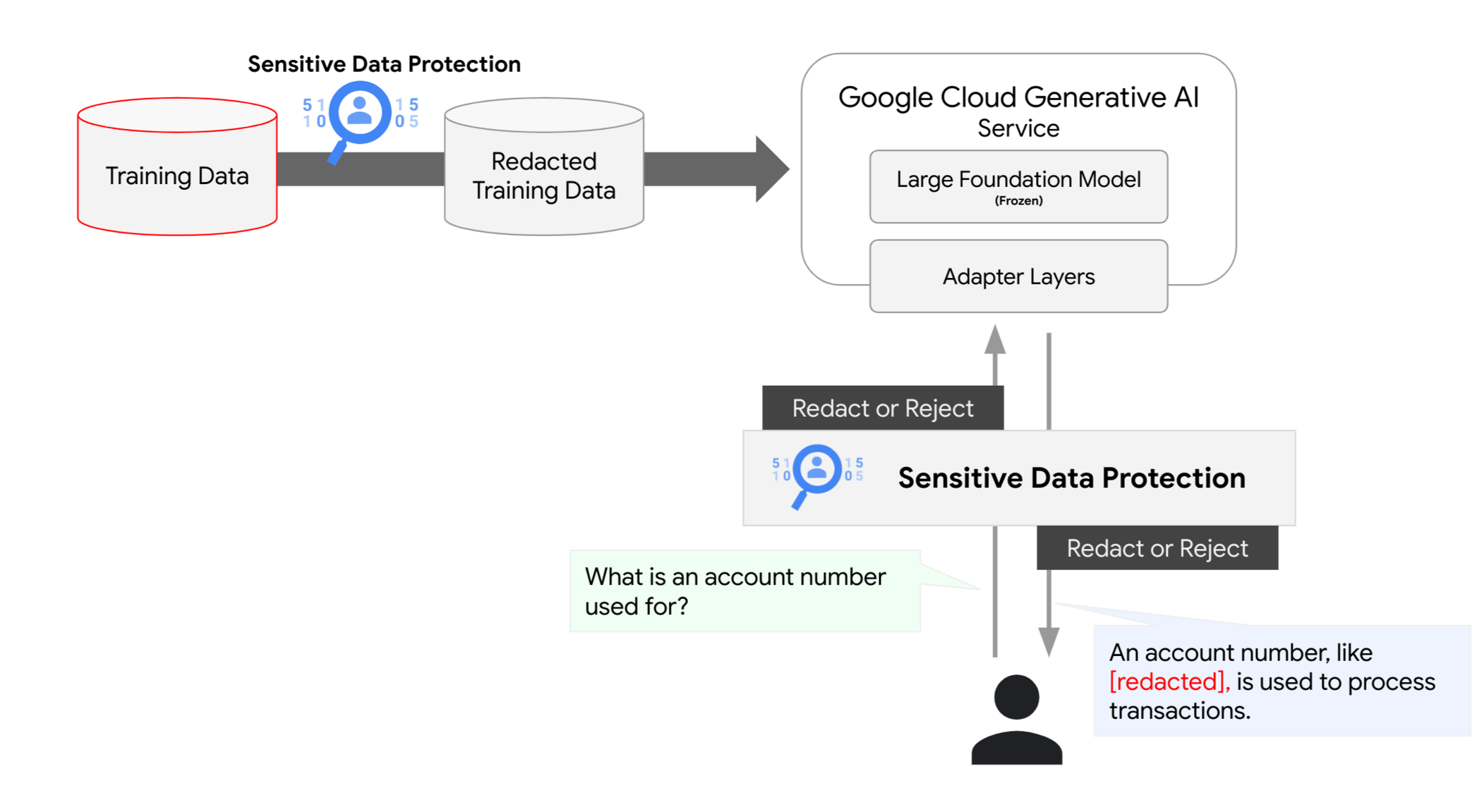
150 built-in infoTypes to help quickly identify sensitive data elements like names, personal identifiers, financial data, medical context, or demographic data. You can identify these elements to choose which records to remove from pipelines or leverage inline transformation to obscure only the sensitive elements while retaining the surrounding context. This enables you to reduce risk while preserving the utility of your data. Inline transformation can be used when preparing training or tuning data for AI models and can protect AI generated responses in real-time.
In the example below, we remove sensitive elements and replace them with the type of data. This way, you can train models knowing the data-type and surrounding context without revealing the raw content.
Raw Input:[Agent] Hi, my name is
Jason, can I have your name?
[Customer] My name is
Valeria[Agent] In case we need to contact you, what is your email address?
[Customer] My email is
v.racer@example.org[Agent] Thank you. How can I help you?
[Customer] I’m having a problem with my bill.
De-identified Output:[Agent] Hi, my name is
[PERSON_NAME], can I have your name?
[Customer] My name is
[PERSON_NAME][Agent] In case we need to contact you, what is your email address?
[Customer] My email is
[EMAIL_ADDRESS][Agent] Thank you. How can I help you?
[Customer] I’m having a problem with my bill.
Sometimes a simple replacement like the example above is not enough. Sensitive Data Protection has several de-identification options that can be tailored to meet your specific needs. First, as the customer, you have full control over which infoTypes are important to detect and redact and which you want to leave intact. Additionally, you can choose what kind of data transformation methods best suit your needs from simple redaction to random replacement to format preserving encryption.
Consider the following example which uses random replacement. It produces an output that looks much like the input sample, but has randomized values in place of the identified sensitive elements:
Input:[Agent] Hi, my name is
Jason, can I have your name?
[Customer] My name is
Valeria[Agent] In case we need to contact you, what is your email address?
[Customer] My email is
v.racer@example.org[Agent] Thank you. How can I help you?
[Customer] I’m having a problem with my bill.
De-identified Output:[Agent] Hi, my name is
Gavaia, can I have your name?
[Customer] My name is
Bijal[Agent] In case we need to contact you, what is your email address?
[Customer] My email is
happy.elephant44@example.org[Agent] Thank you. How can I help you?
[Customer] I’m having a problem with my bill.